
 Jan 14, 2025
 2 min read
Remote Port Forwarding to poke holes in Firewall
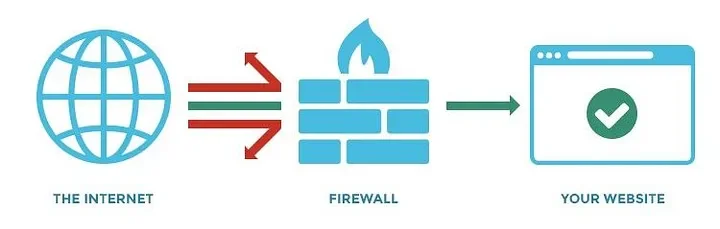
Local port forwarding is good when you want to use SSH to pivot into a non-routable network. But if you want to access services on a network when you can’t configure port-forwarding on a router and don’t have VPN access to the network, remote port forwarding is the way to go. Remote port forwarding excels in situations where you want access to a service on an internal network and have gained control of a machine on that network via a reverse shell of some kind. Whether you’re a pentester or system admin, this is a good thing to know about.
For example, let’s say you compromise a public terminal in the local library and get some credentials. You install a persistent reverse shell of some sort, which communicates back to your machine, but you don’t have access to other services on the machine. The victim machine might have an SQL instance configured on localhost only that you want access to, or maybe you want to access the remote desktop. Maybe the network is hosting some sort of admin panel you’d like to poke around in. Whatever it is you want, a compromised host and SSH will get you in. Netcat is surely old school, but still, it is unmatchable in some scenarios. With a simple google search, you can find how easy it pokes holes in the firewalls to allow access to specific services. Most of the antivirus will pick-up Netcat as some sort of malicious tool. So, you might want to take care of that first.
Remote port forwarding isn’t only for malicious scenarios. You can use it to punch a temporary hole out of a network to use work services at home, though that may be frowned upon by your security team.
Another excellent usage is in phishing campaigns where a user has executed your payload, and you only have a reverse shell connection back. After a bit of information gathering, then privilege escalation, you gather the credentials for the administrative user and wish to use those on another service on the compromised machine. SSH is an excellent tool for pivoting in networks, but it’s not limited to penetration testing. Remote port forwarding can provide you access to services on a machine that would normally be inaccessible. This can be useful if you want to share your services with networks that normally would not be able to reach them. For example, if you need to temporarily connect to a service at work from your home but the firewall is dropping all inbound packets. In some cases, setting up a reverse SSH tunnel is easier than port forwarding a consumer-grade router.




Comments (0)
Leave a Reply
Log in to post a comment.